
Bumpy Flight Guides
Every how-to in one hangar: first flight, landing a route, cabin chaos, and the keys that keep the nose up.
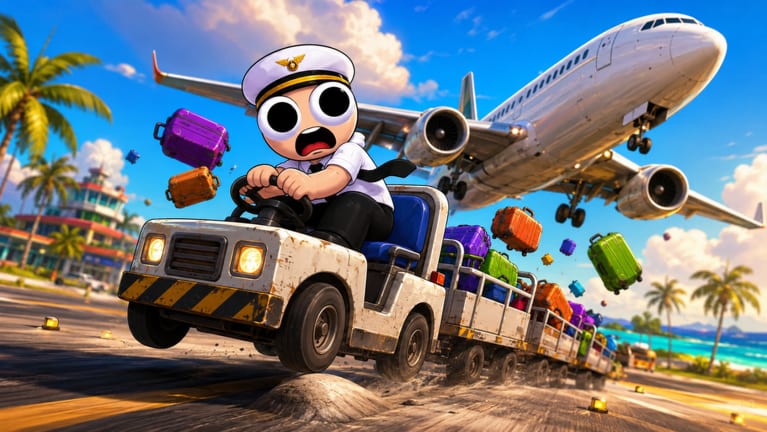
Bumpy Flight looks like a cozy plane game until the first passenger wants a blanket and the left engine starts complaining. This hub is the map for that chaos. Each guide below answers a search people already type: how to play, how to finish, how to survive an emergency, how to fly with friends, and how the keys actually work.
Read them in order if you just installed Roblox and clicked the experience. Skip around if you already crashed twice and only want the wrench rule. Every page links to the matching crew role so you are not learning systems without a job title.
Start here
How to play Bumpy Flight is the onboarding pass. It covers the BETA warning, the pre-takeoff loop, and why you should not sit in the Pilot seat while luggage is still on the cart. Watch the mid-article tutorial if you want to see a full session before you queue.
Once you can leave the ground without a lecture from your friends, move to How to complete a flight. Completing a route is how you level up, unlock aircraft, and earn the cosmetics the official page promises. Ending the game “easy and fast” is a skill, not a luck roll.
When the flight goes wrong
It will. How to handle emergencies is the calm checklist for engine failures, injured passengers, and turbulence. Pair it with the emergency priority tier list so the Pilot does not leave the yoke to fetch medicine.
If the problem is that nobody else loaded in, use How to play with friends and the crew planner. Bumpy Flight is built for a crew. Solo is possible but miserable.
Hands, keys, and the two hard minutes
Bumpy Flight controls reprints the official pitch, turn, and throttle binds and explains the CTRL conflict: the same key unlocks your mouse and cuts power. Read it before you blame the plane. Then print the pre-flight checklist in your head so takeoff is a routine instead of a scramble.
When the keys make sense and the route still dies at the ends, open takeoff and landing. Rotation and an early descent are their own skill. If you already crashed twice and only want the autopsy, use beginner mistakes instead of rereading the whole onboarding pass.
Unlocks and the supply terminal
Completing a route is how the official page says you unlock aircraft and cosmetics. There is still no published XP table or named fleet. Do not farm thumbnail codes for a plane that only appears after honest landings.
The other missing search is items. Supplies maps the published kit — luggage, fuel, blankets, food, medicine, wrench — onto the role that should carry each one. Cabin does not loot the wrench. Pilot does not leave the seat for a blanket. The terminal keeps a healthy loop alive; it does not replace a landing.
The Guides dropdown on desktop stops at eight rows and then sends you here. If a child page is missing from the menu, it still lives in this hangar.
How these guides stay useful in BETA
The place is only weeks old. Icons change. Buttons move. We will not invent aircraft names or Game Pass prices the developer has not published. When a patch rewires a prompt, the Updates Hub and the BETA notes will say so, and the affected how-to will follow.
If you want a verdict instead of a tutorial, the Bumpy Flight review explains who this co-op loop is for. If you want freebies, the Codes Hub is honest about the empty list. If you want injectors, read Scripts last and skeptically.
Use this hub as a table of contents, not as a wall of the same paragraph. Pick the pain you have tonight and open that one page.
Frequently Asked Questions
Quick answers to the most common questions.
Which Bumpy Flight guide should a new player open first?
Start with How to play, then Controls, then the pre-flight checklist. Complete-a-flight and emergencies come after you can leave the runway.
Do these guides work in the current BETA?
Yes, they are written from the official control list and current crew loop. When a patch changes a prompt, we update the matching page.
Is there a video on every guide?
No. Each page can embed at most one real YouTube video. Duplicate topics share a single tutorial instead of repeating the same ID.